Retrieving Child Entities of a Next Design Model May Fail
In V1.2 and later, the issue described below does not occur. This page is kept for users of earlier versions.
Affected Versions
Agentiqs V1.0 to V1.1
Issue
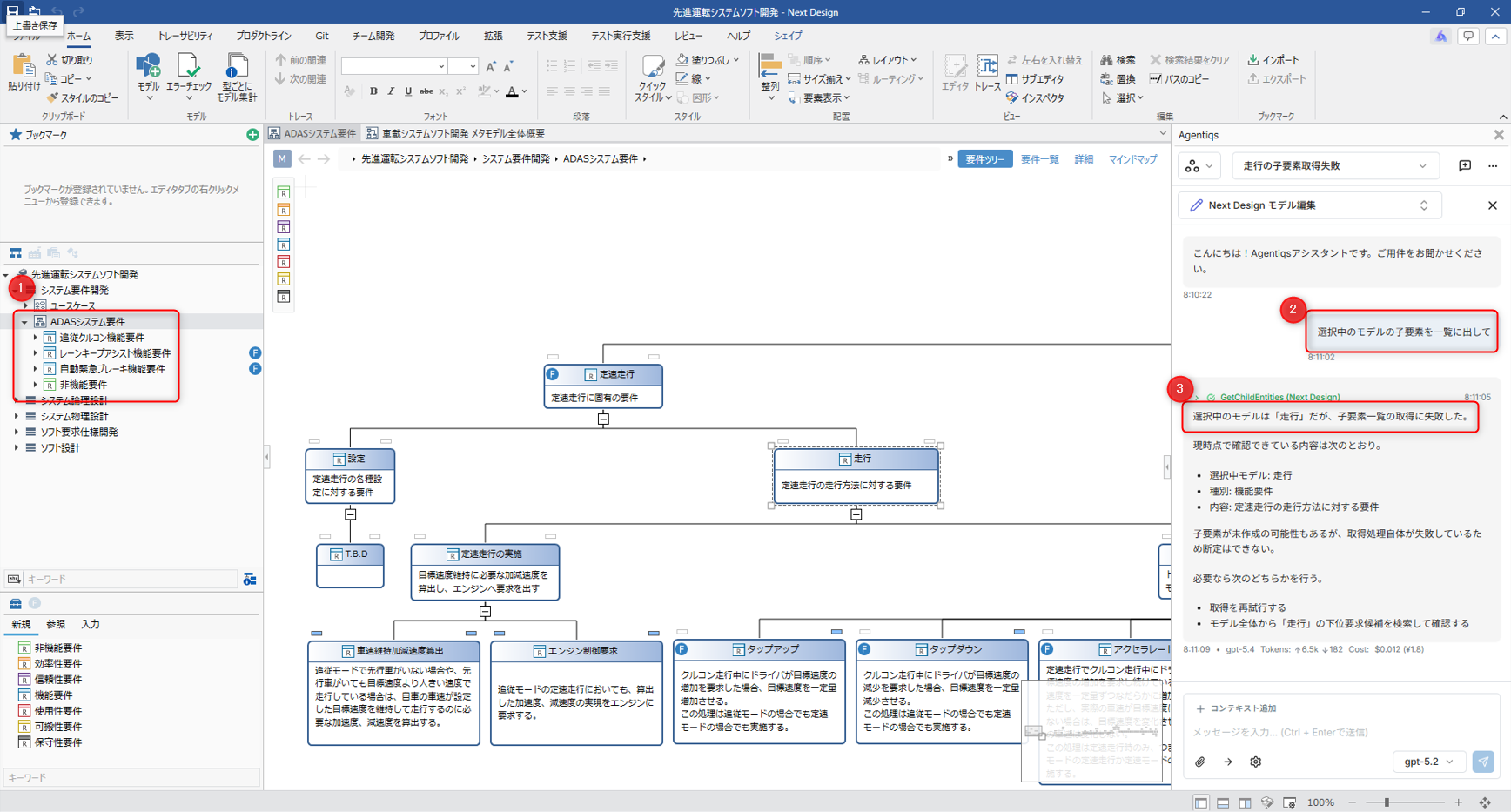
In the Agentiqs chat screen and in the Next Design embedded chat screen, when you instruct an agent using the Next Design tool to target "the model open in the editor" or "the model currently displayed" and request a list of its child entities (① and ② in the figure below), retrieval of the child entities may fail.
Specifically, the following occurs (③ in the figure below).
- The LLM may fail to identify the target model, causing the child entity retrieval to fail.
- When it fails, you get either a response stating that the child entities cannot be retrieved, or an error response.
Workaround
Use the "Add Context" dialog to explicitly add the target model information before starting the conversation.
- Open "Add Context" on the chat screen.
- Select and add the target model (model information).
- After that, ask for the list of child entities.
Example: In the Agentiqs chat screen
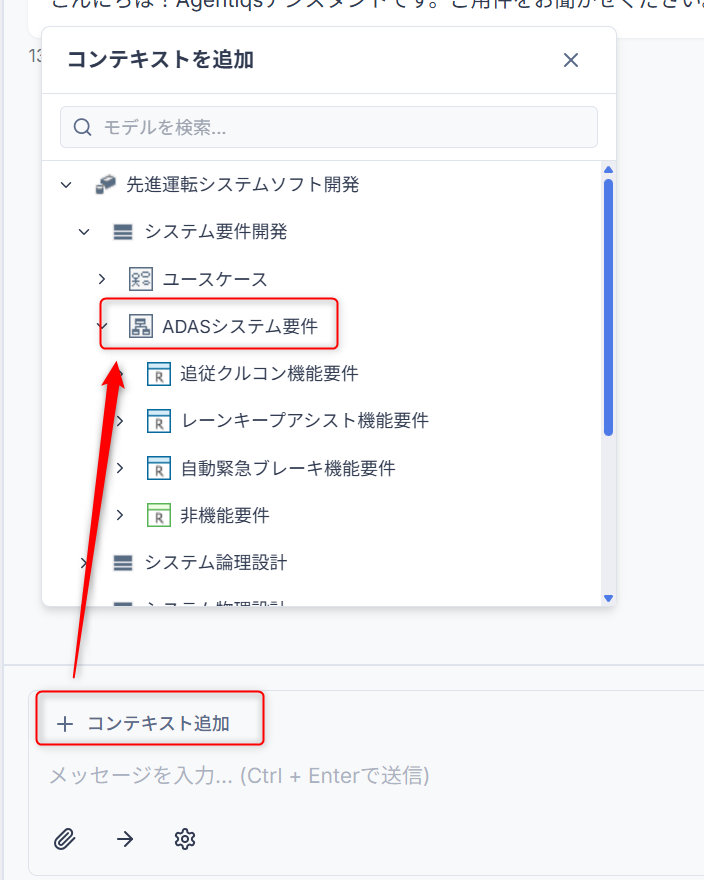
Adding the context lets the target model be identified, and you will get a response about the model tree, including its child entities.