Agents
Agents
An agent does not recognize File Access tools
If multiple File Access tools are configured under [Tool Features to Use] in the agent settings (the area outlined in red below), the agent cannot distinguish between the tools.
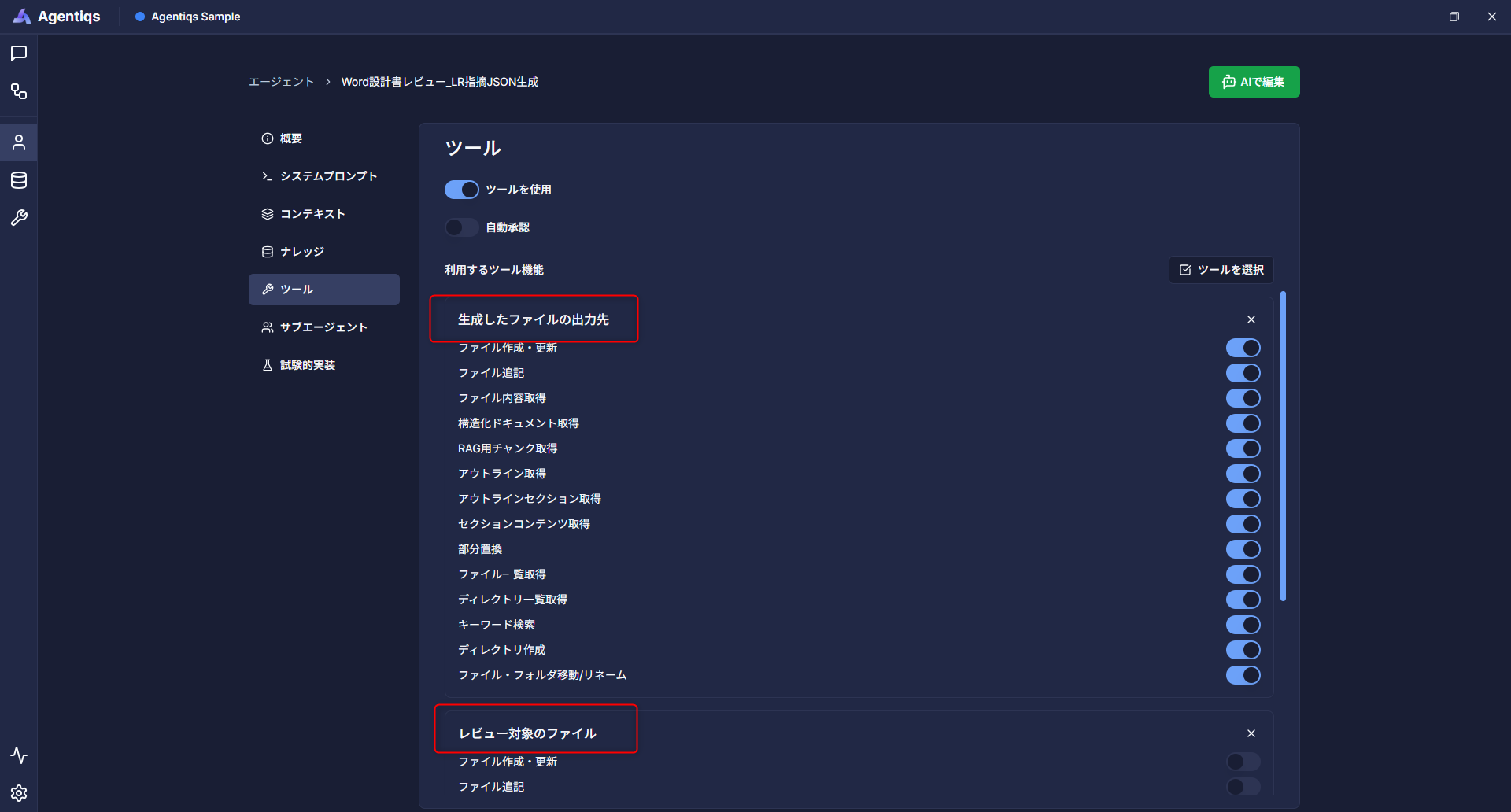
To resolve this issue, specify the roles of the two File Access tools in the system prompt.
Example:
- Use the following two File Access tools.
  - Input: the "File to review" tool
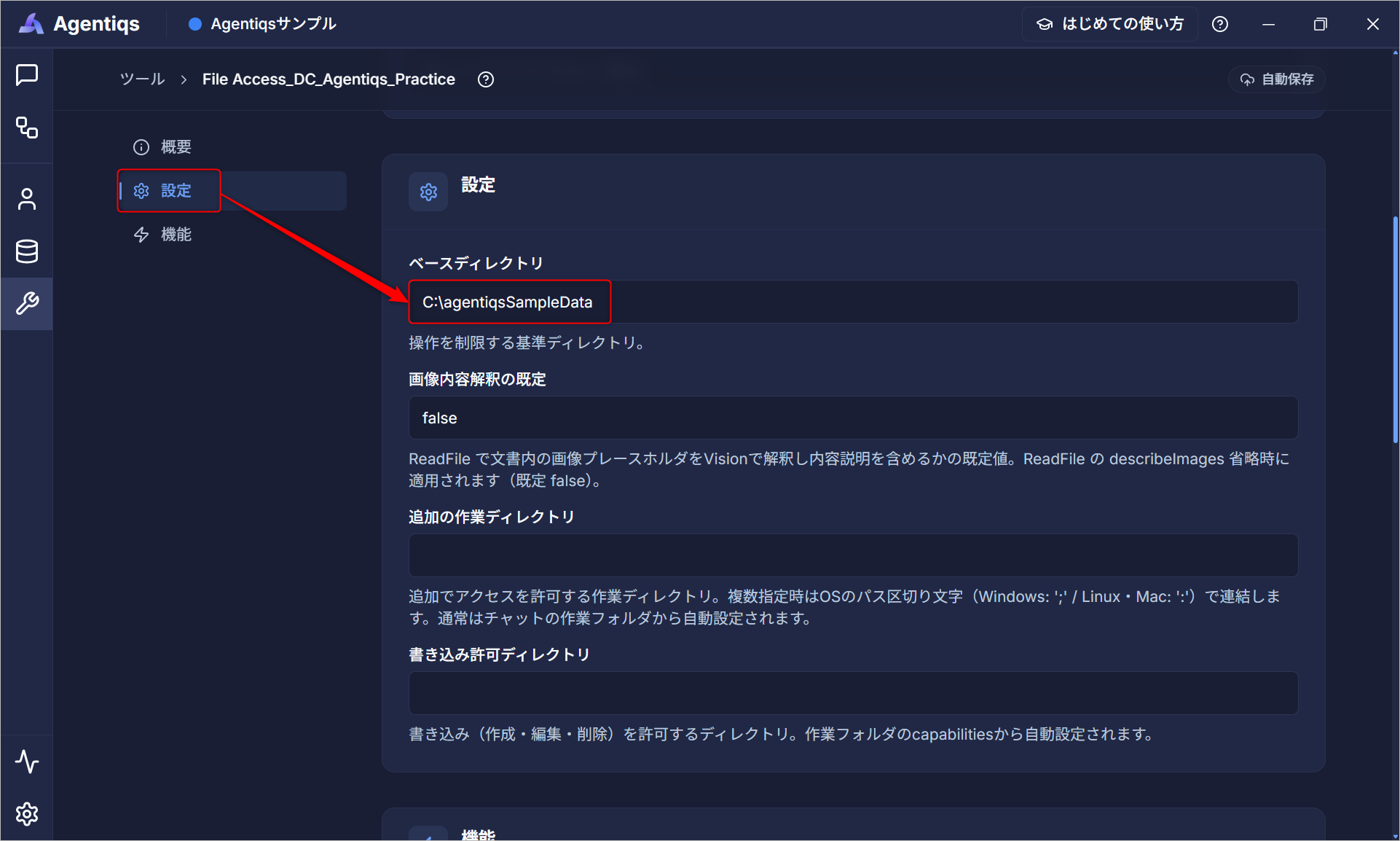
    Base directory: C:\xx
  - Output: the "Destination for generated files" tool
    Base directory: C:\yy
Information to configure for [Base Directory]
Specify the path configured in the File Access tool.
A server connection failure was displayed when using the Lightning Review tool or a Lightning Review integration agent, preventing execution
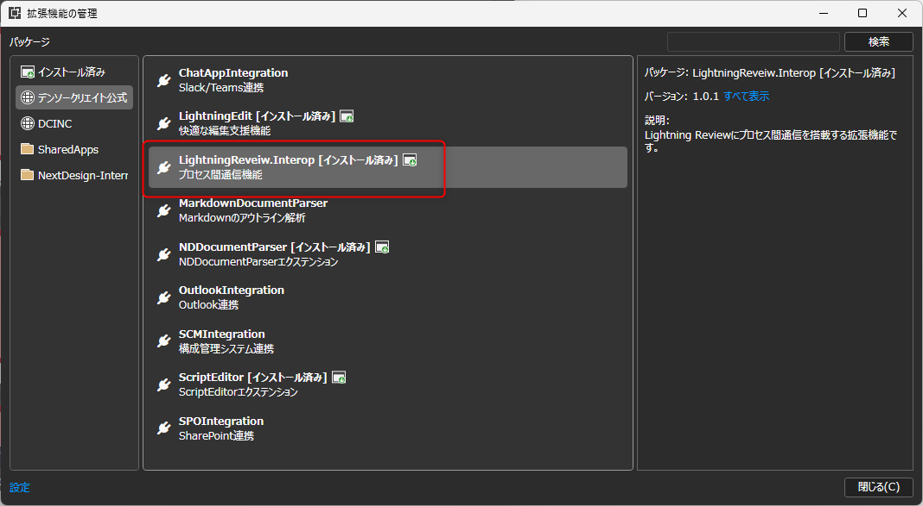
The Lightning Review tool and Lightning Review integration agents must be run with the Lightning Review extension LightningReview.Interop installed.
Install LightningReview.Interop in Lightning Review before using them.
Knowledge
Other members cannot access knowledge even when it is set to public
The folder that stores the knowledge may be read-only.
Check the folder settings.