Network and LLM Communication
LLM Communication Fails
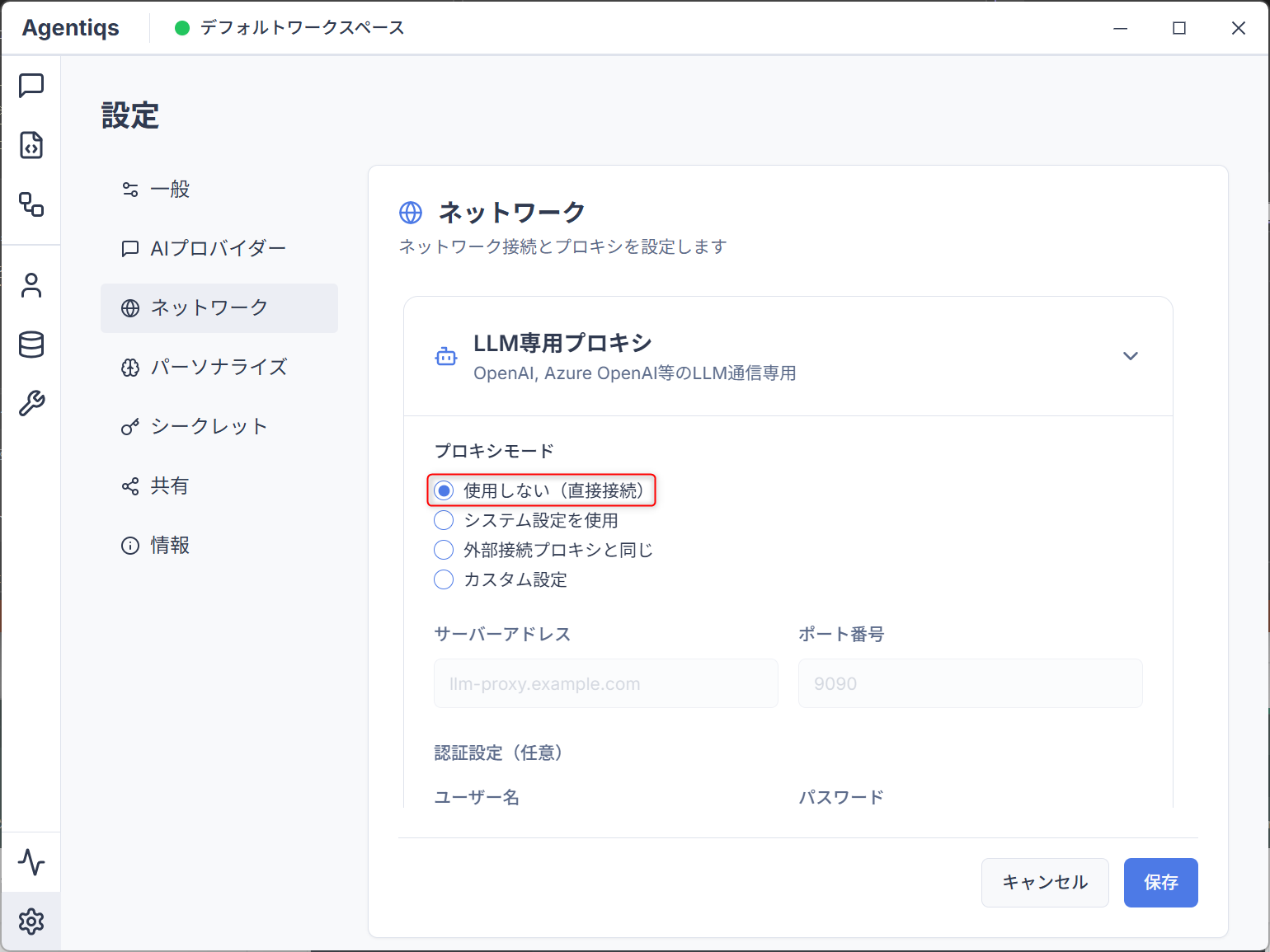
If you want to connect to LLM without going through a proxy due to a network environment issue, please set the [Proxy Mode] to Do not use (direct connection) in the [Settings]-[Network] tab:
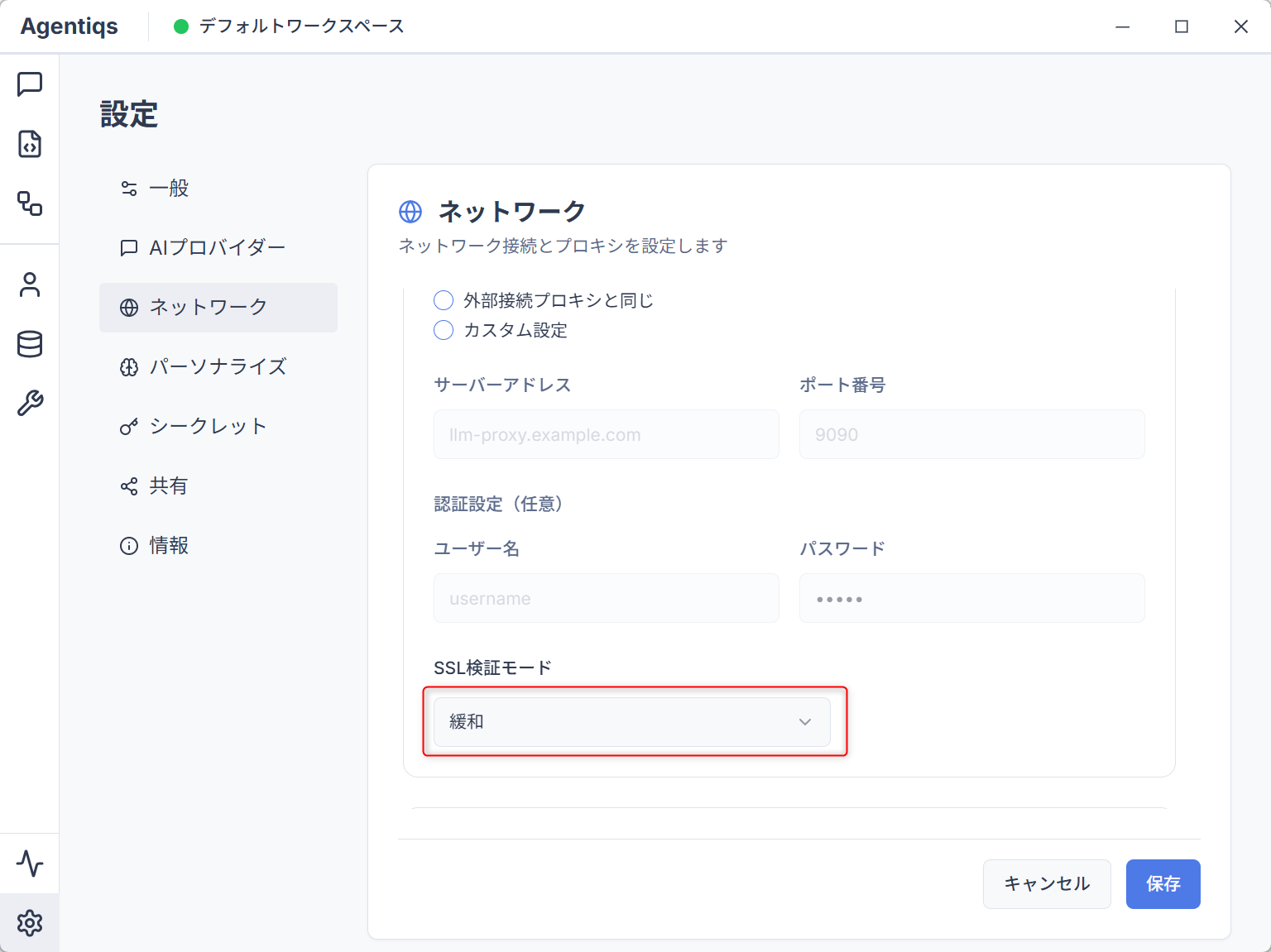
Also, if your administrator has instructed you to disable the certificate and connect to LLM, please set the [SSL Verification Mode] to Relax:
- These settings are not necessary in a normal network environment.
- These settings only affect HTTP communication with LLM.