Workflows
This page explains how to identify and resolve errors that occur when running tools in a workflow.
Tool execution
A "FailedToCreatePlugin" error occurs when running a tool
Symptom
When you run a tool in Agentiqs, the following error may be displayed, preventing execution.
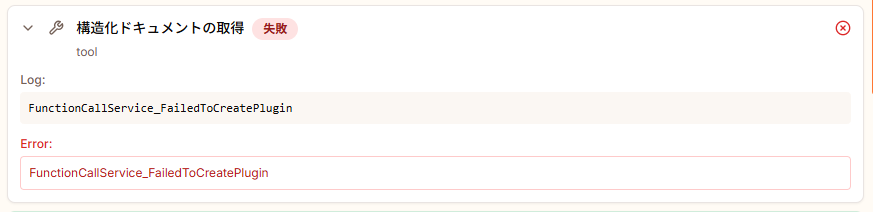
Cause
Features available through tool settings integrated with Agentiqs may be added or expanded by a version upgrade.
A tool created before an upgrade may retain outdated configuration information internally.
When current features are used without refreshing that information, plugin generation may fail because of an inconsistency with the old configuration, producing the error above.
Resolution
For tools created before the version upgrade, do the following.
-
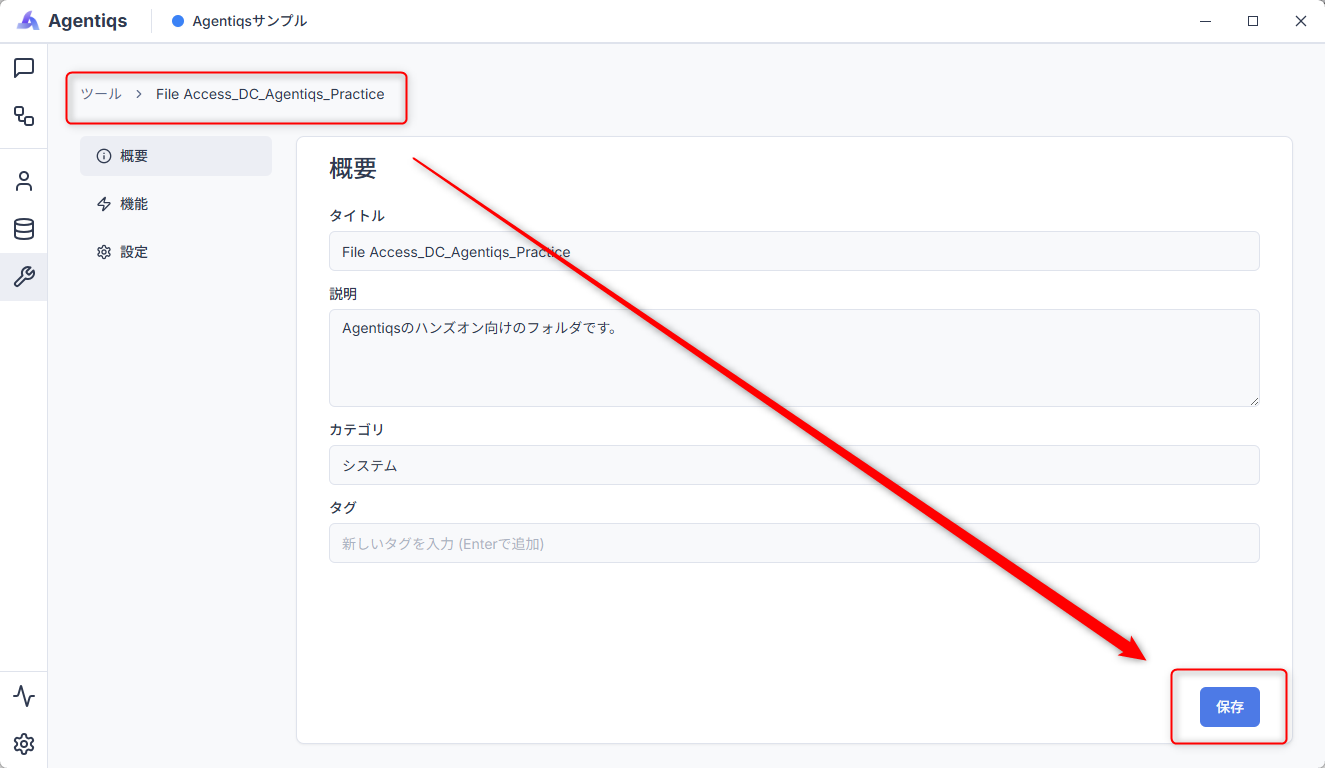
Open the target tool and display its overview screen.
-
Click the Save button even if no settings need to be changed.
-
Run the tool again.
After these steps, the error will normally no longer occur.
File Access fails
The following table describes common reasons that a File Access tool fails when used from a workflow.
| No. | Cause | Resolution |
|---|---|---|
| 1 | The base directory is empty. | Enter the target path. |
| 2 | The base directory path is enclosed in " characters. | Remove the " characters. |
| 3 | A UNC path is specified as the base directory. Example: \\<server>\<share>\... | See Resolve an issue caused by specifying a UNC path as the base directory. |
| 4 | Multiple File Access tools have been created and the wrong one is specified. | Verify that this is the File Access tool configured with the intended base directory. |
Resolve an issue caused by specifying a UNC path as the base directory
Follow these steps.
- Assign a drive letter to the target network shared folder.
Example: Run the following command in Windows.
subst V: "\\<server>\<share>\<project_path>" - Standardize workflow paths using the drive letter.
For paths to input files and output destinations specified in the workflow, use the assigned drive letter instead of the UNC path.
Example: Input:V:\Input\data.csv, output:V:\Output\result.csv
Have every member assign the same shared destination to the same drive letter (for example, V:).
This absorbs differences in physical paths among users and improves workflow portability and stability.