Use Knowledge
This page explains how to register documents as knowledge and use them from an AI agent.
Goal
Build an environment in which registered documents can be used as knowledge and an AI agent can answer questions about them.
Preparation
Prepare the documents to register as knowledge, such as Office files or text files, in advance.
If this is your first time using knowledge, we recommend starting on a small scale with a few files or materials from only part of a process.
- Pricing varies depending on the AI model and the amount of data used.
- Estimate: Approximately JPY 1/MB (when using the text-embedding-ada-002 AI model)
Limit the amount of registered data during validation and trial use.
1. Register knowledge
Create a database to use knowledge documents as RAG.
-
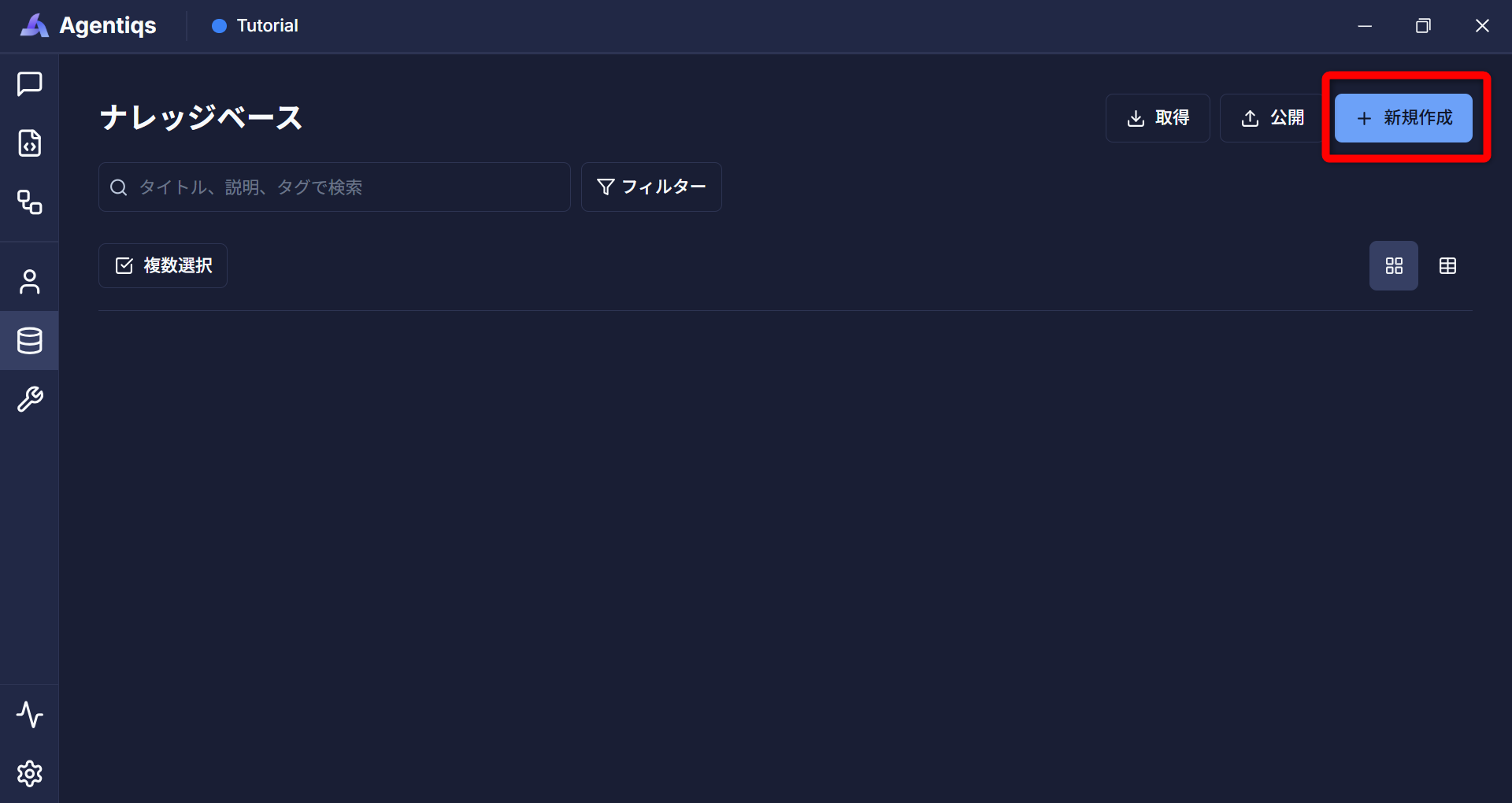
Open the knowledge settings from [Knowledge] - [Create New].
-
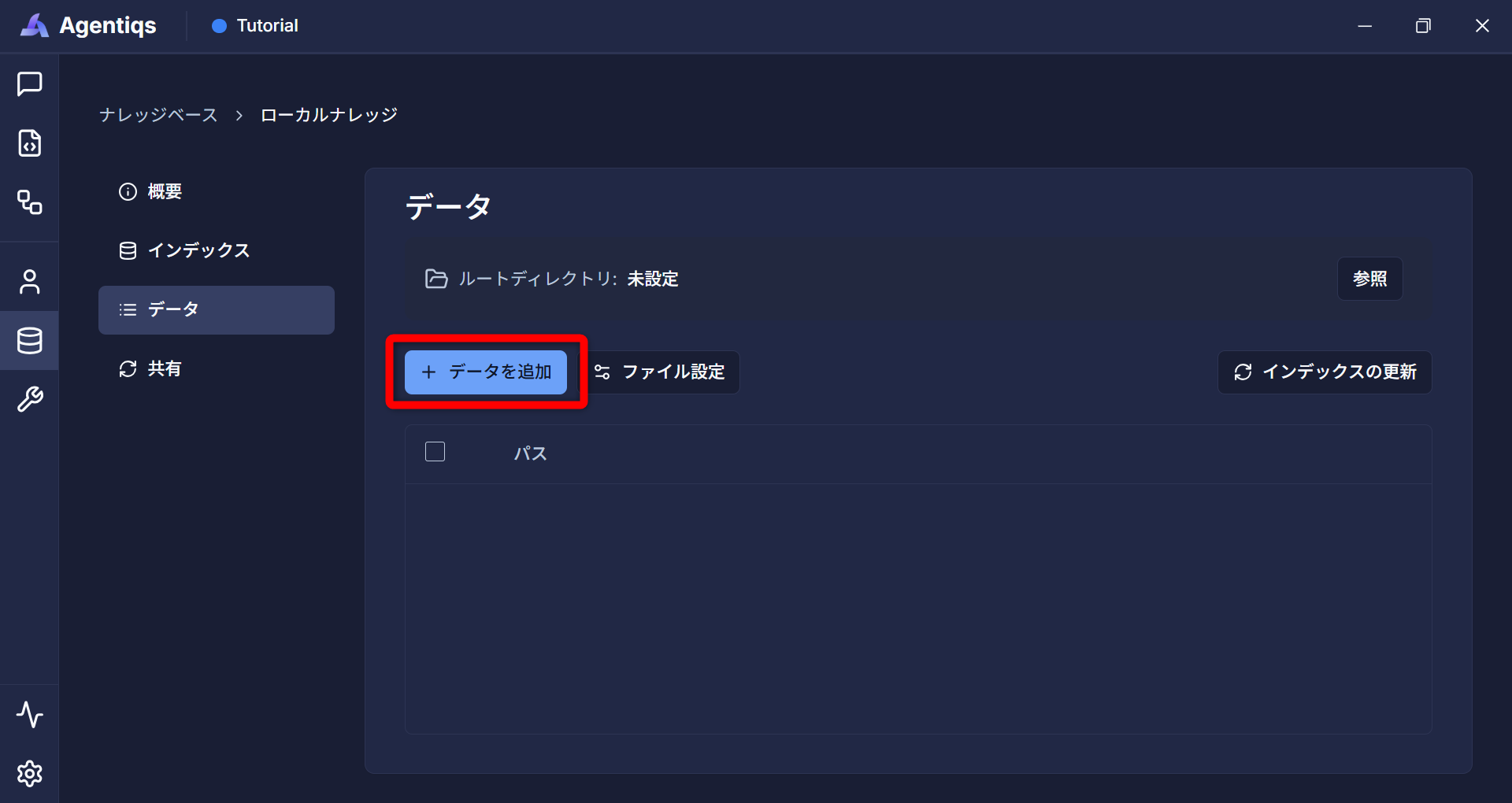
From [Add Data] on the [Data] tab, register the documents to use as knowledge by specifying a folder or file path.
-
Add data
-
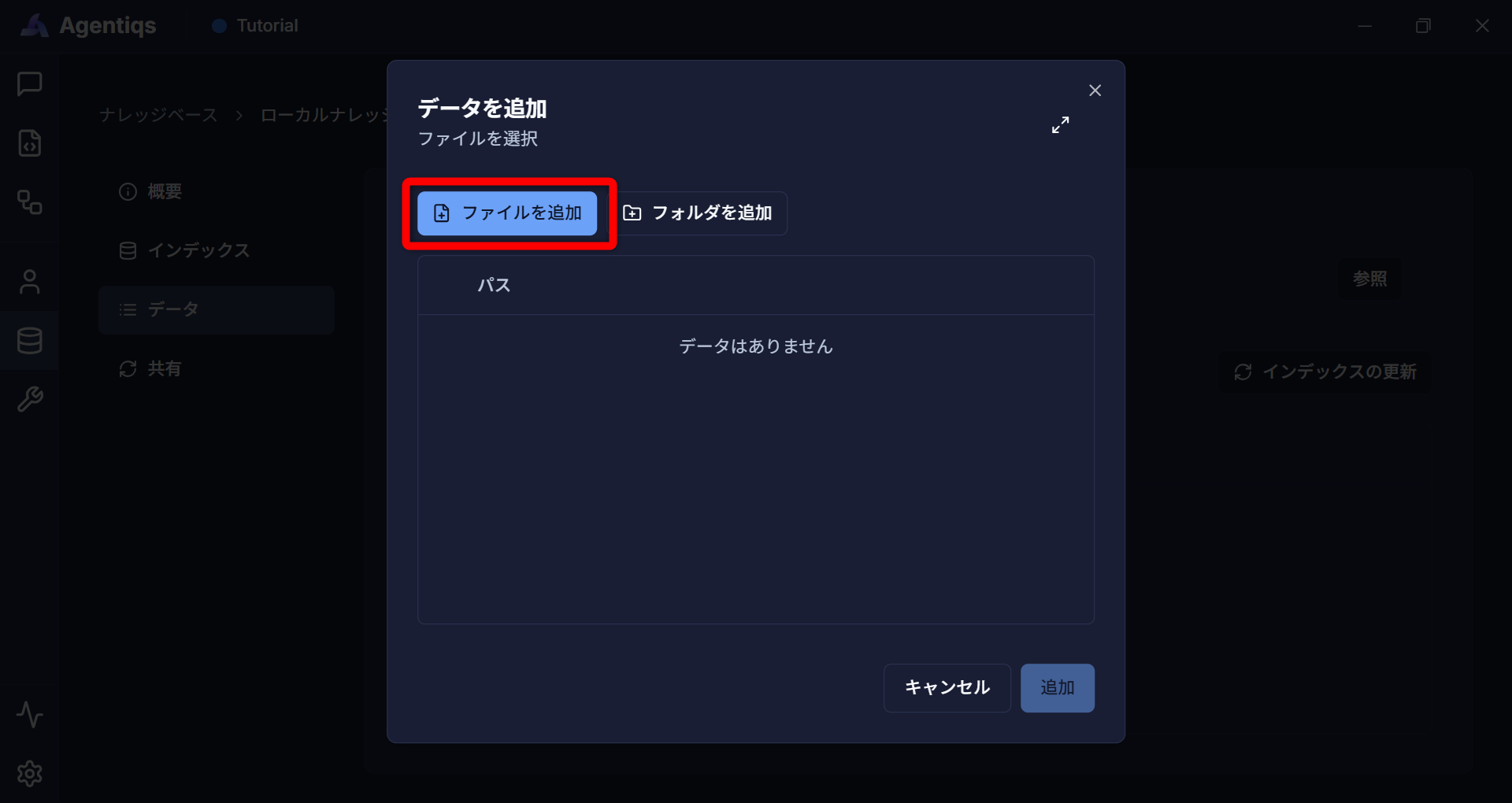
Add a file
 note
noteSpecify the path of the file to use as knowledge.
- If you have not prepared a file, specify the path to the sample data.
- For details, see Create knowledge.
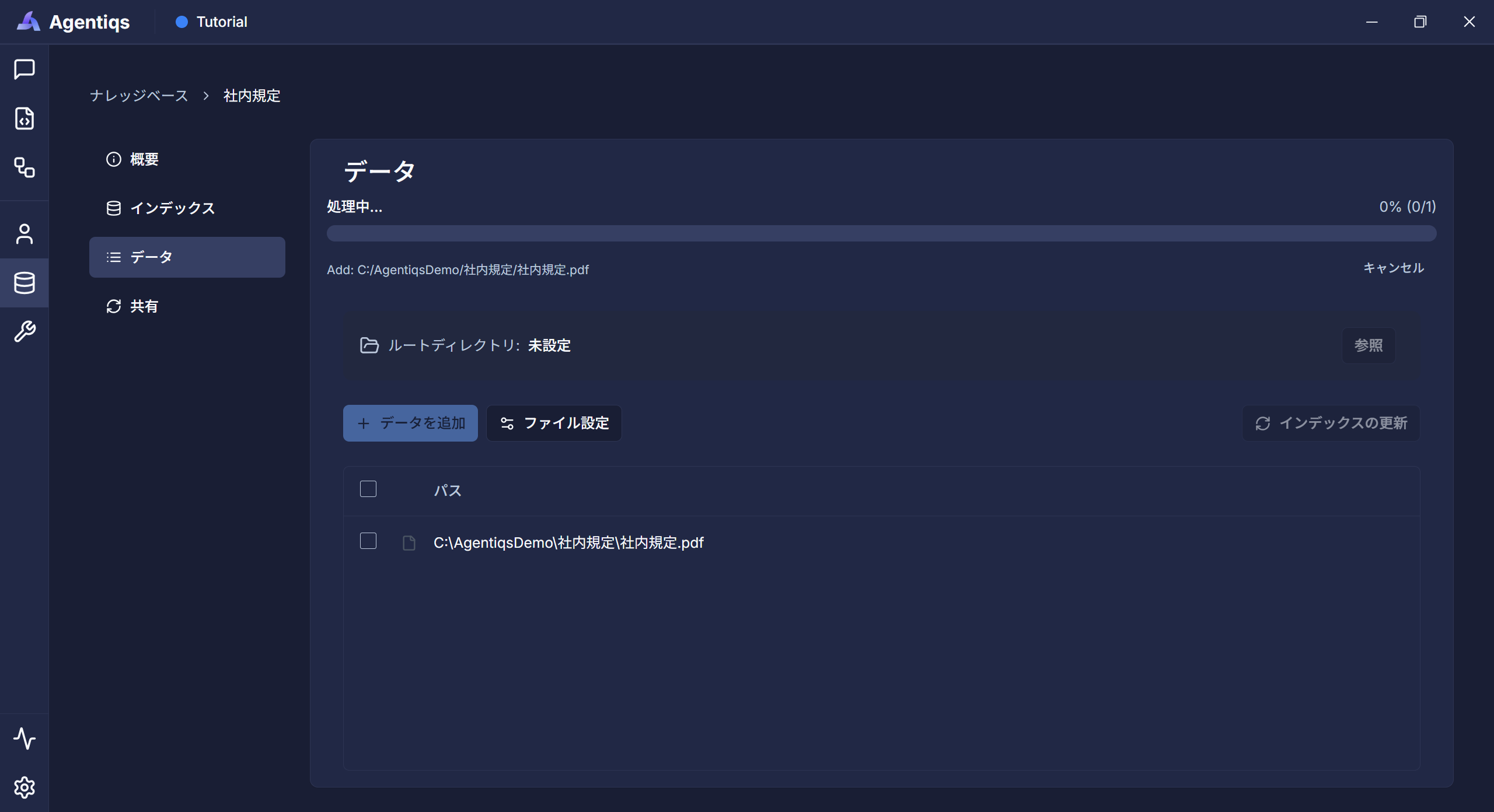
After data has been added or updated, it becomes available as RAG.
-
2. Create an agent that answers using knowledge
-
From [Agents] - [Create New], open the AI agent gallery.
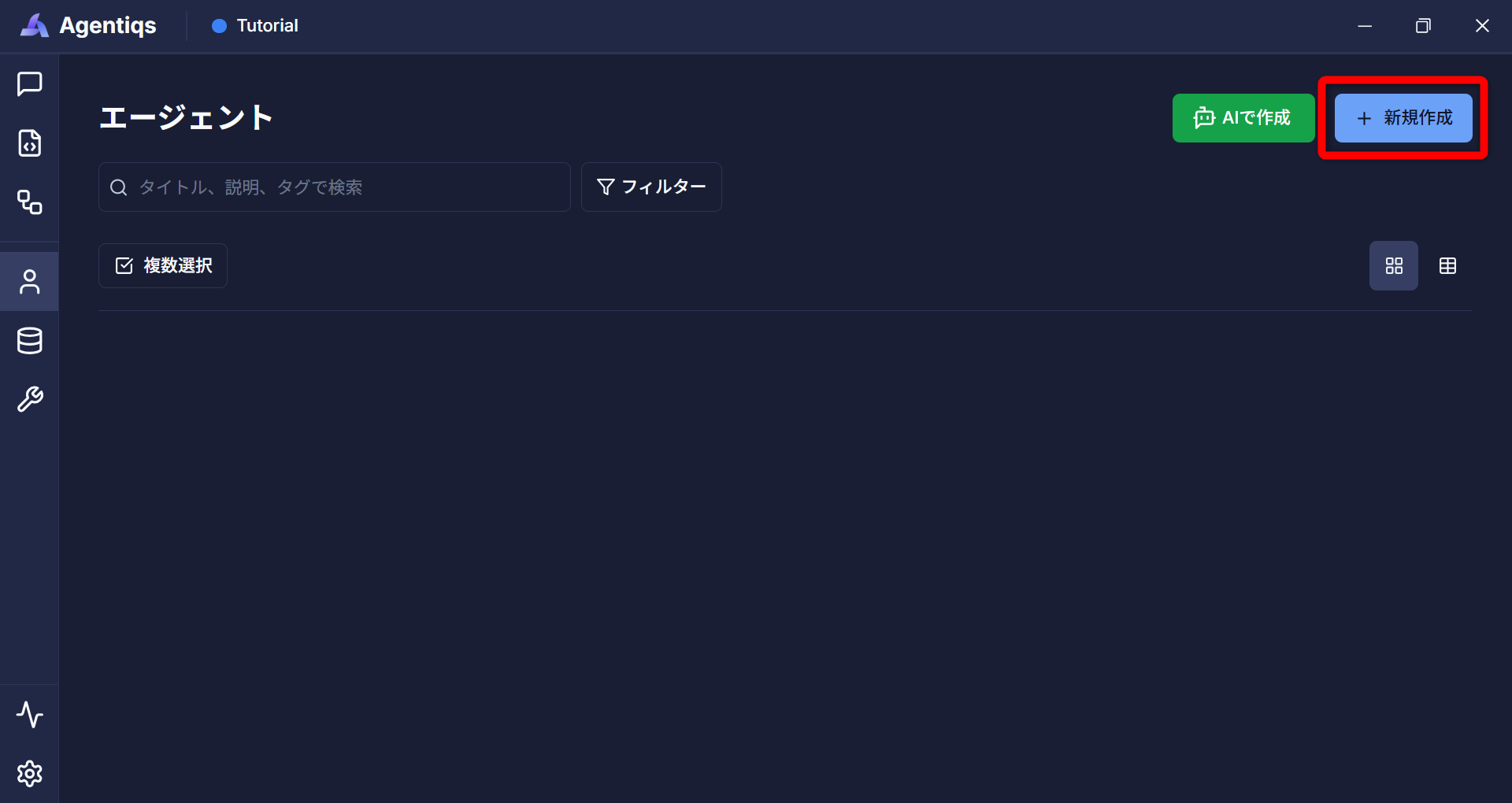
-
Select [Knowledge Search] to open the settings screen.
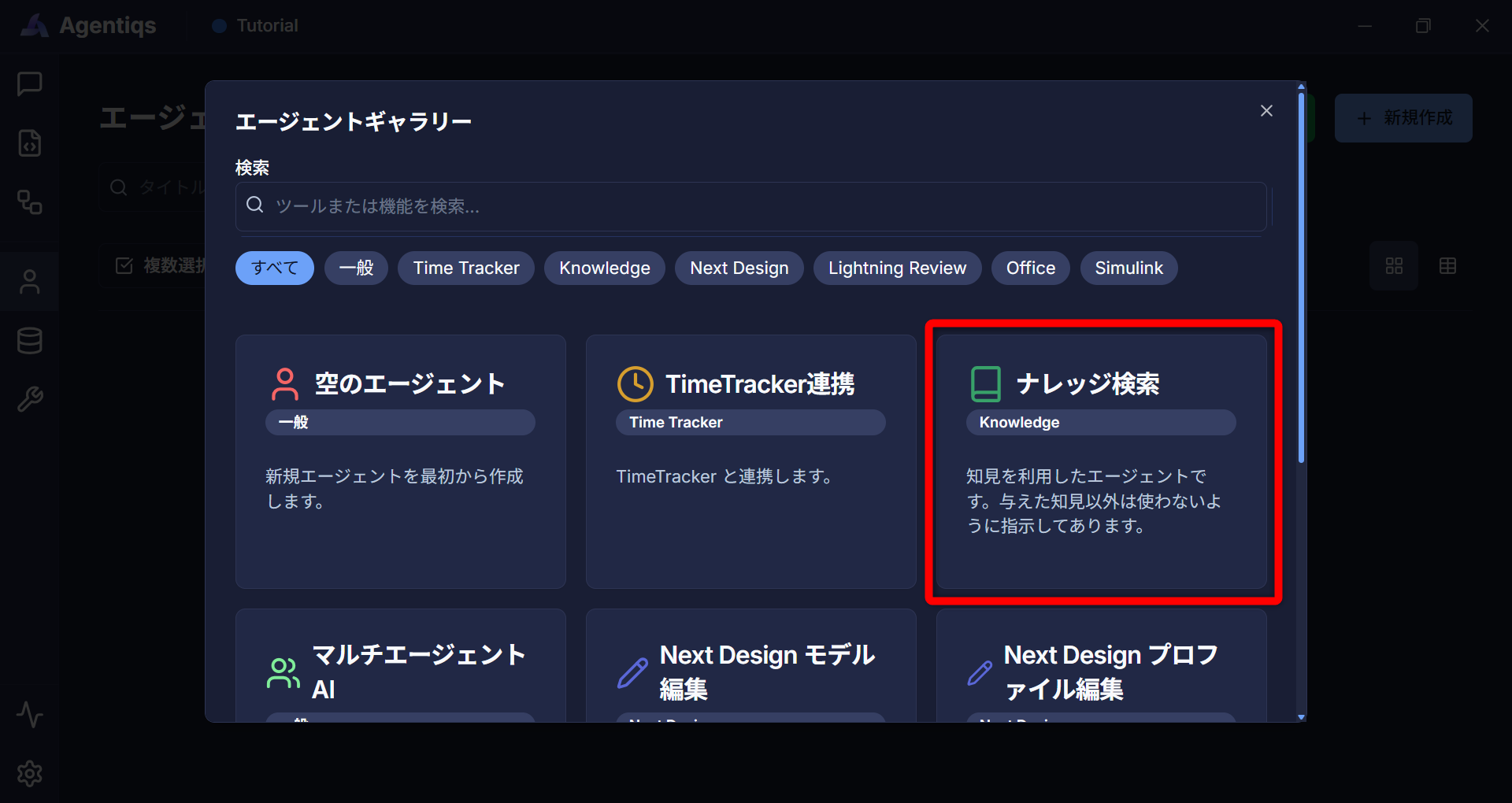 note
noteA template is configured for the system prompt.
You can use the default setting for this procedure. -
On the [Knowledge] tab, choose the knowledge you prepared from [Select Knowledge].
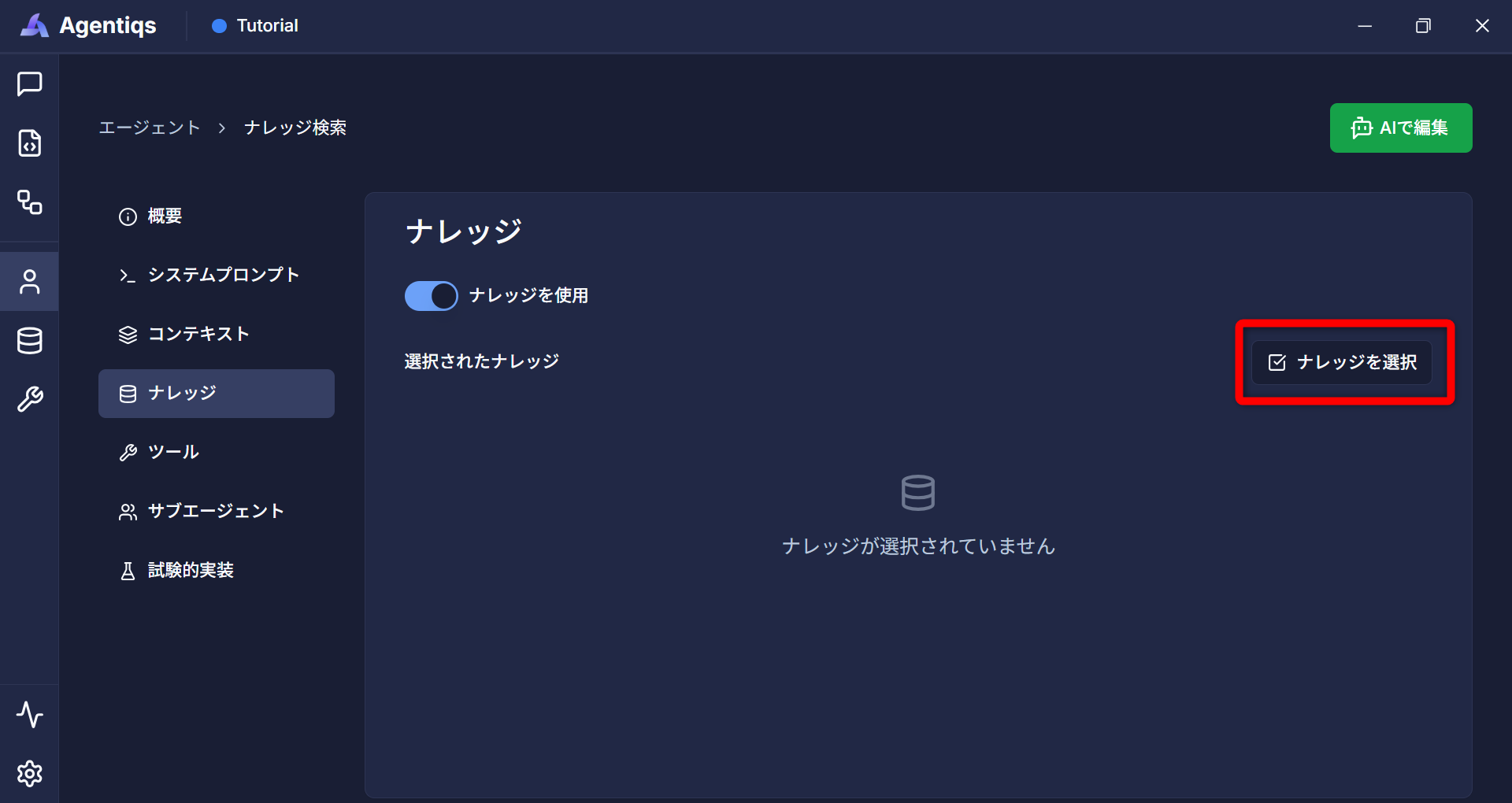
-
Edit other settings as needed, and save.
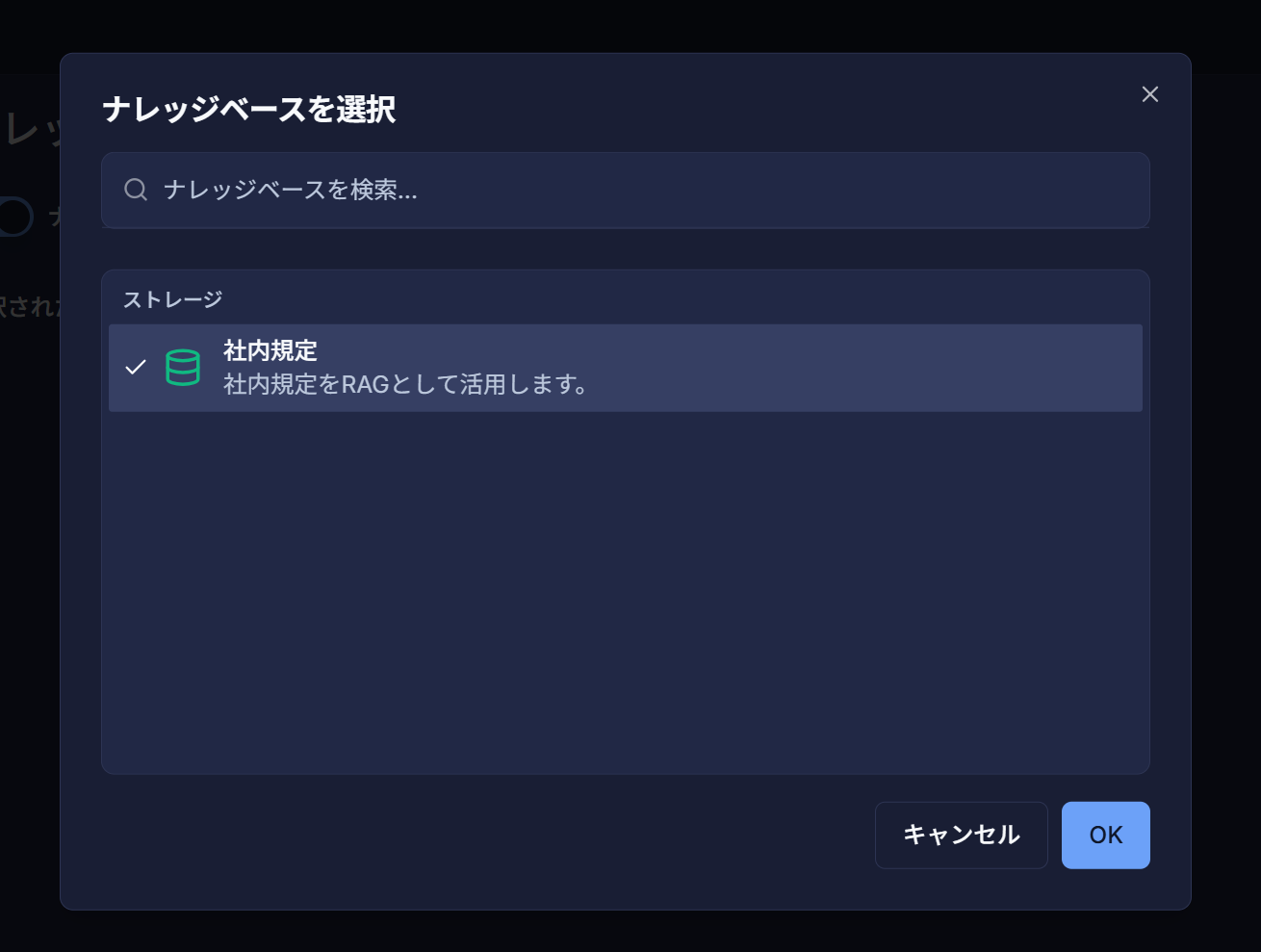
3. Use knowledge in a chat
-
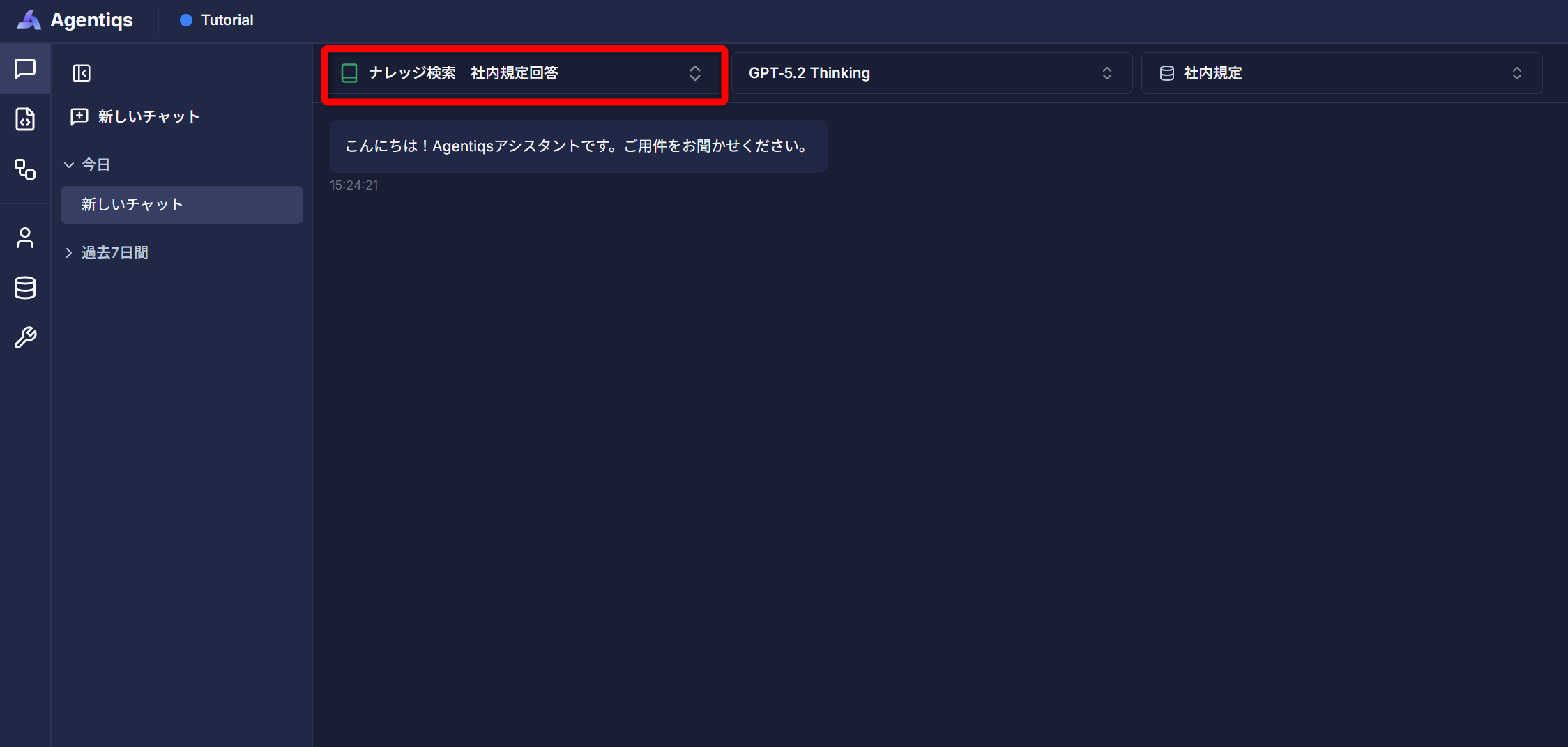
Open the chat screen and select the agent you created from the agent drop-down list.
-
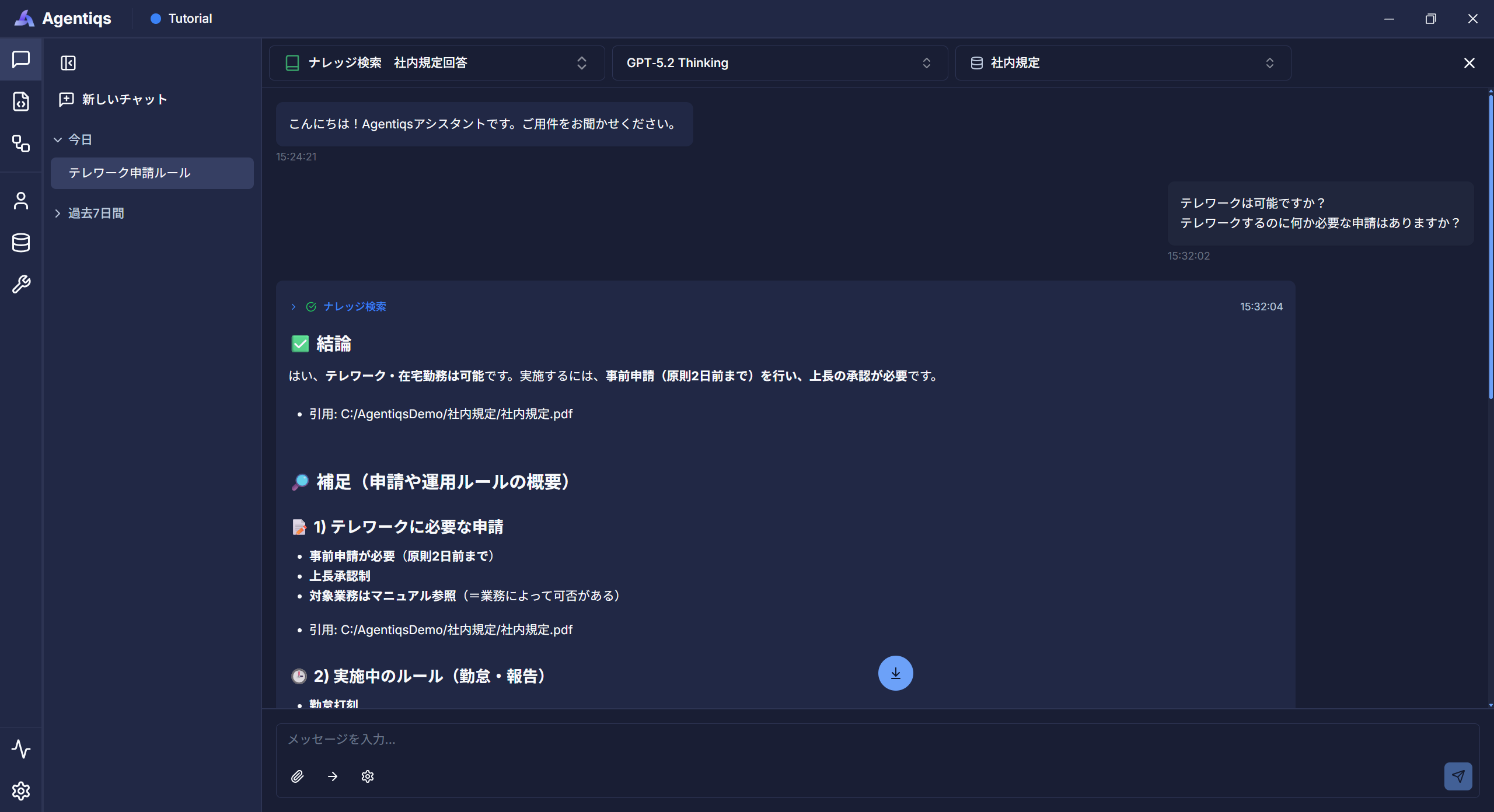
Ask a question about a document registered as knowledge to receive an answer based on extracted and summarized relevant information.
Usage examples
Using knowledge can reduce the time spent searching for information and create an environment in which you can focus on development work.
- Search and summarize microcontroller specifications
- Handle inquiries about internal knowledge more efficiently
- Cross-reference documents managed by an organization or project
- Search and reference existing design deliverables
- Search and reference source code
Knowledge also enables new members to quickly access the information they need from existing documents,
helping them become productive on a project sooner and perform their work efficiently.